
Your tasks live in four different places right now. Don’t argue, you know it’s true.
Some are in a notes app. Some are in your calendar. A few are still on sticky notes that fell behind your desk in March. And somewhere in there, one task has been sitting undone for so long it’s basically furniture.
That’s the problem with most project management software. It was built for teams of twenty, then handed to you, one person, and told to “just use the parts you need.” You end up spending more time managing the tool than doing the work.
This list is different. I looked at the best personal project management software available in 2026, specifically through the lens of one person trying to get organized, not a department trying to justify a budget. Some of these tools are built for teams and happen to work well solo. A couple are built for individuals from the ground up. One is built to grow with you, in case “just me” doesn’t stay true forever.
Here’s what I found. But before that let’s take a look at
What to look for in a personal project management tool
Before the list, a quick gut check. The right tool for you should:
- Take minutes to set up, not hours of configuring statuses and views
- Hold your tasks, notes, and calendar together, so you’re not tab-switching all day
- Have a real free plan, since paying monthly for a solo to-do list rarely makes sense
- Scale with you, so if you ever bring on a collaborator, freelancer, or hire, you’re not starting over in a new tool
Keep those four in mind. They’ll come up again and again below.
Quick comparison of best project management software for personal use
| Tool | Best for | Free plan | Tasks, notes & calendar together | Easy to get started | Grows into team use |
|---|---|---|---|---|---|
| Focyn | Solo users who want one connected workspace | ✅ Free forever | ✅ Yes | ⭐⭐⭐⭐⭐ | ✅ Yes |
| ClickUp | Users who want maximum customization | ✅ Yes (limited) | ✅ Yes | ⭐⭐☆☆☆ | ✅ Yes |
| Notion | People who prefer building their own system | ✅ Yes | ✅ Yes (after setup) | ⭐⭐☆☆☆ | ✅ Yes |
| Linear | Solo developers and engineering projects | ✅ Yes (limited) | ◐ Partial | ⭐⭐⭐⭐☆ | ✅ Yes |
| Asana | Simple task tracking with room to scale | ✅ Yes (limited) | ✅ Yes | ⭐⭐⭐⭐☆ | ✅ Yes |
| Motion | AI-powered daily scheduling | ❌ No | ◐ Partial | ⭐⭐⭐⭐☆ | ◐ Limited |
| Sunsama | Daily planning and time blocking | ❌ No | ◐ Partial | ⭐⭐⭐⭐☆ | ◐ Limited |
7 best project management software that you can rely for all your personal work
Below is a list of personal project management tools that can help you organize your daily tasks, manage household responsibilities, and stay on top of work projects. Whether you’re planning your day or tracking long-term goals, these tools make it easier to stay productive and organized. Let’s get started.
Focyn
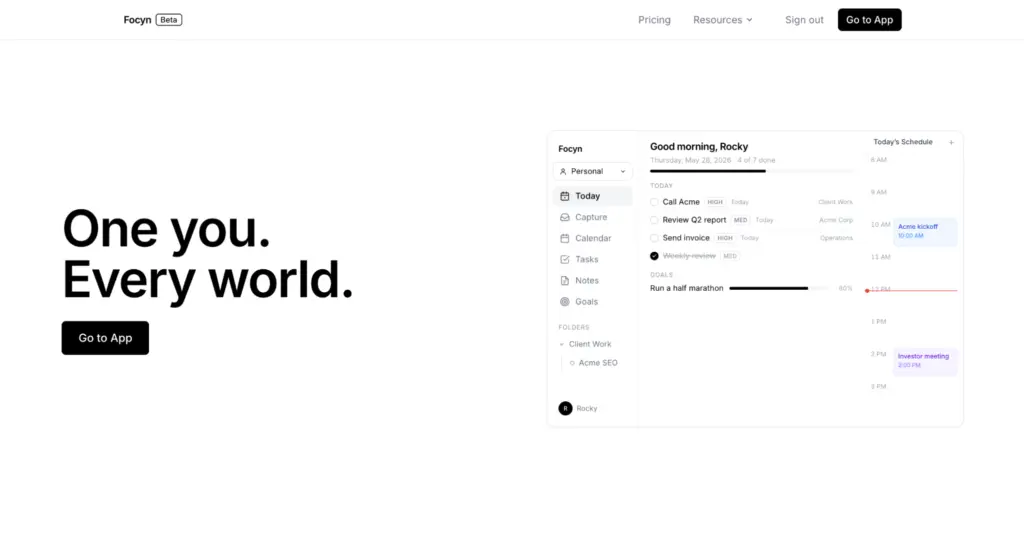
Focyn is a productivity OS, built for tasks, notes, goals, calendar, and keep small team work together instead of living in separate apps. Every user starts with a free workspace of their own: private, connected, and yours to keep.
That workspace comes with real structure out of the box. Three task statuses (Open, In Progress, Done), so you’re not designing your own system before you can log your first to-do. Notes that can link directly to tasks and goals.
A Capture inbox for the “type it now, sort it later” moments your brain has fifty times a day. Two-way Google Calendar sync, so your day and your task list finally agree with each other. And Focyn AI answers questions about your actual workspace in plain language, like what’s overdue, what’s with the team, or what you should focus on next.
Focyn AI runs on your own Claude API key, so you’re managing and shaping your workflow, both for yourself and your team, without your workspace data being stored on Claude’s side.
Let me share the part that makes Focyn worth a second look if you’re evaluating this list closely: your workspace doesn’t get thrown away if your situation changes. Freelancer who lands a big enough project to bring on a contractor? Founder who’s about to hire employee number one?
Your personal workspace stays exactly as it is, private and free, and a team workspace sits right alongside it under the same login. One click to switch. No migration, no re-onboarding, no starting from a blank canvas somewhere else.
Key features of Focyn
- Connected tasks, notes, goals, and calendar
- Built-in Capture inbox for quick ideas
- List and board views with subtasks, priorities, dependencies, and reviewers
- Built-in time tracking
- Two-way Google Calendar sync
- Native Google Drive integration
- Team chat within the workspace
- Free personal workspace with optional team workspaces under the same account
Pricing of Focyn
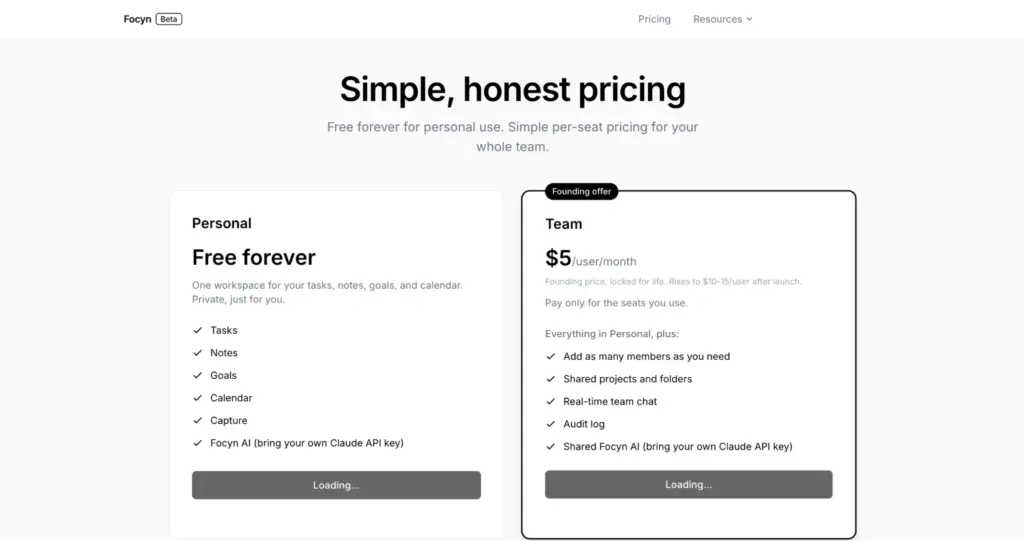
The personal workspace is free forever, no credit card required. Team workspaces start at $5 per user, per month, at the current founding rate (this is set to rise to $10 to $15 per user later, so it’s worth confirming current pricing before you commit).
Focyn is best for
Solo users who want everything connected, and might not stay solo forever. Plus, Focyn wasn’t originally designed as a personal to-do app first. It’s a connected system built with small teams in mind. What that means for you: the free personal layer is genuinely solid, but you’re getting it as part of something built to grow, not a single-purpose personal planner.
ClickUp
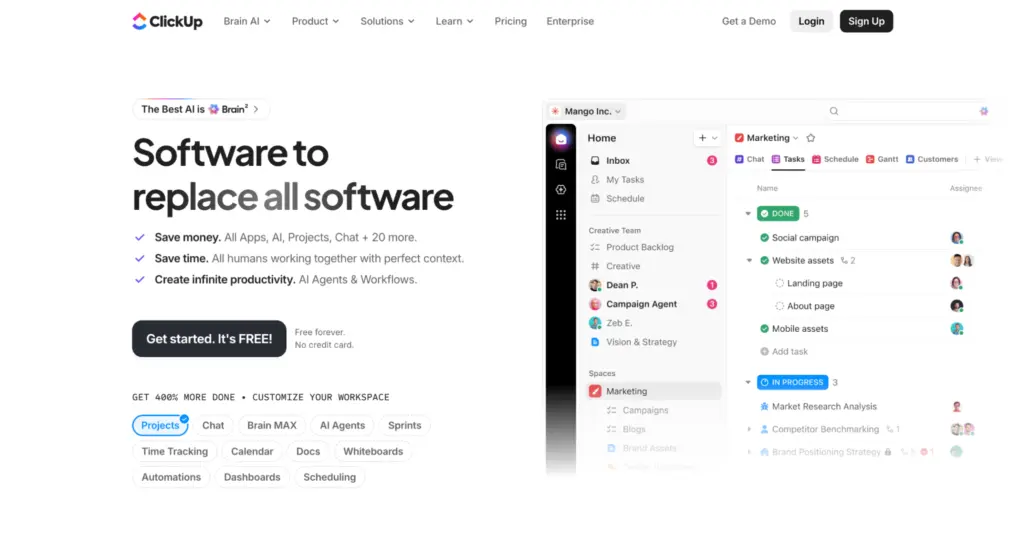
ClickUp is one of the most feature-dense project management tools available. Custom fields, dozens of view types, automations, dashboards. If you can imagine a workflow, you can probably build it in ClickUp.
That flexibility cuts both ways for a solo user. You can absolutely make ClickUp fit your exact needs. You’ll also spend real time setting it up, and possibly more time maintaining it as your needs shift. For some people, that tinkering is half the appeal. For others, it becomes the very “managing the tool instead of doing the work” problem this list exists to solve.
Pricing of ClickUp
ClickUp offers a free plan with usage limits, and paid plans that scale up from there. Check ClickUp’s site for current tiers, since pricing and limits change.
Notion
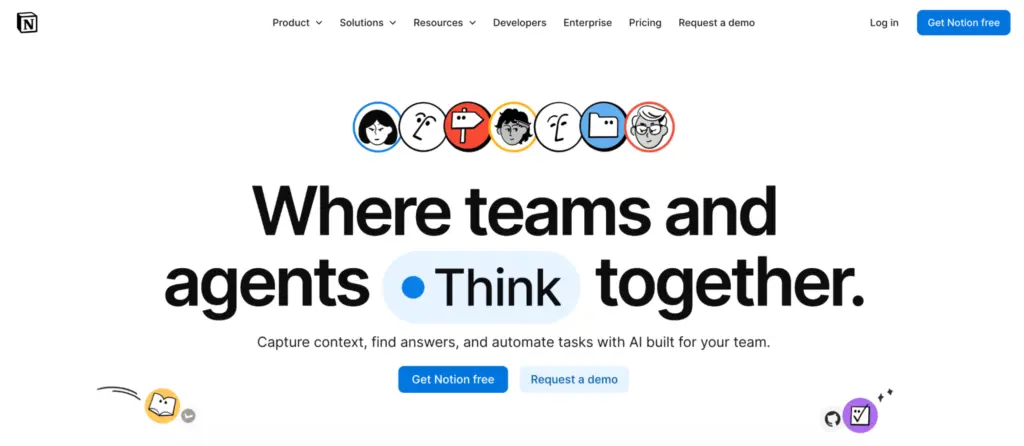
Notion started as a notes and docs tool and grew into something closer to a full workspace. Its real strength is flexibility: databases, templates, and pages that link to each other however you want. Plenty of people build beautiful personal project trackers inside it.
The tradeoff is that Notion gives you the pieces, not the system. You’ll likely start from a template someone else built, or spend a weekend designing your own. If you enjoy that kind of setup, it’s a strength. If you’d rather log in and start working immediately, it’s friction.
Pricing of Notion
Notion has a free personal plan, with paid tiers for more advanced features and AI. Confirm current pricing on Notion’s site, as it’s updated periodically.
Linear
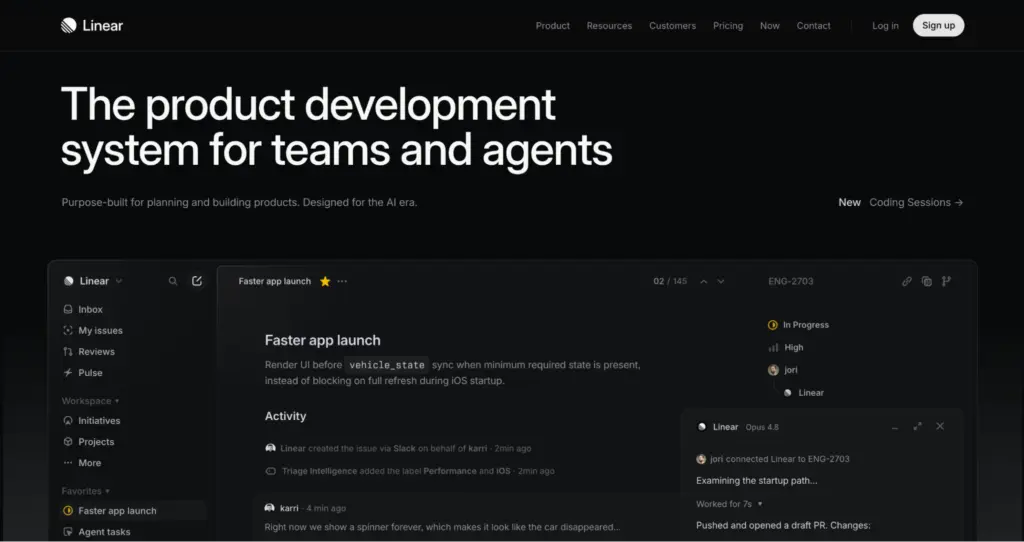
Linear was built for software teams, and it shows in the best way: it’s fast, keyboard-driven, and refreshingly uncluttered. If you’re a solo developer tracking bugs and features for your own project, Linear feels like it was built by people who actually ship software.
The catch is that Linear’s whole design language assumes an engineering workflow: issues, cycles, and a very specific vocabulary. If your personal projects are more creative, operational, or general life admin, Linear’s structure won’t map onto them as naturally.
Pricing of Linear
Linear offers a free tier for individuals and small usage, with paid plans for more advanced needs. Worth checking their site directly, as free-tier limits shift over time.
Asana
Asana has been around for well over a decade, and that maturity shows in its stability and breadth of features. Timelines, boards, custom fields, and reporting are all there if you need them.
The challenge for a solo user is that Asana’s feature set and interface have increasingly leaned toward larger teams and enterprise use. Using it purely for yourself can feel like driving a bus to pick up groceries. It works. It’s just more than most personal use cases call for.
Pricing of Asana
Asana has a free plan for individuals and small groups, with paid tiers scaling up for larger teams. Pricing is subject to change, so check their current plans directly.
Motion
Motion’s whole pitch is AI-powered scheduling: give it your tasks and deadlines, and it automatically slots them into your calendar around your existing commitments. For time-blockers who want less manual planning, that’s genuinely useful.
The tradeoff is that Motion is calendar-first, not a full connected system. Notes, goals, and broader project context tend to live elsewhere. If auto-scheduling is what you’re after, it delivers. If you want one home for everything, you may still end up piecing tools together.
Pricing of Motion
Motion is a paid product, generally positioned at a premium relative to other tools on this list. Pricing and any trial terms are worth verifying directly, since AI-scheduling tools tend to adjust plans frequently.
Sunsama
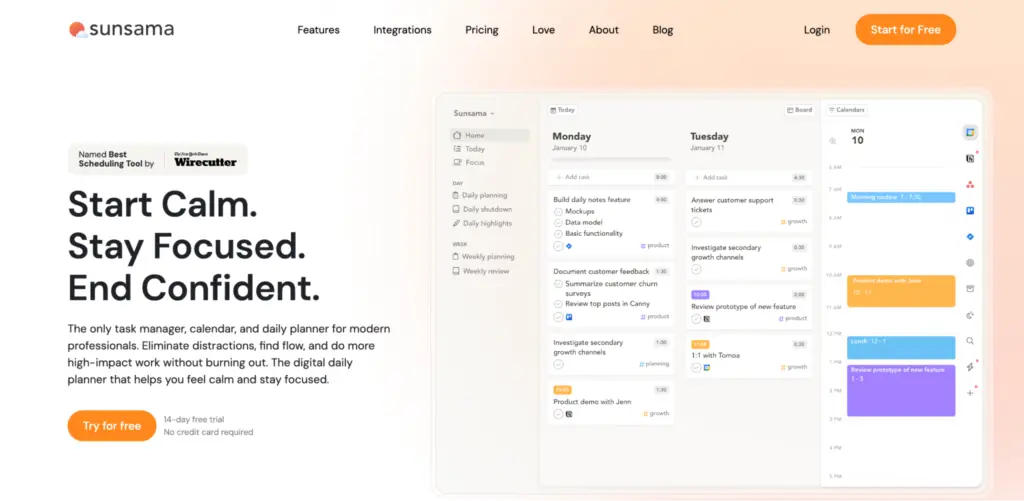
Sunsama is built around a specific habit: each morning (or evening), you review your tasks from various sources and deliberately plan your day. The design is clean and unhurried, and it pulls in tasks from tools like Trello, Asana, and others, so it can sit on top of your existing setup rather than replace it.
The narrower focus is also its main limitation. Sunsama is strong at daily planning, but it’s not trying to be your task manager, note-taker, and calendar all at once. You’ll likely still need something else underneath it.
Pricing of Sunsama
Sunsama is a paid tool with no permanent free tier, though it typically offers a trial. Confirm current pricing before signing up, as terms can change.
How you can choose the best personal project management software
Skip the feature lists for a second. Ask yourself these questions instead.
Does it hold everything, or just one piece?
A lot of tools are great at one thing: tasks, or notes, or your calendar. The moment your work spans more than one of those, you’re back to switching tabs. Look for a tool where tasks, notes, goals, and your calendar actually talk to each other.
How long until you’re actually working?
Some tools ask you to design your own system before you can log a single to-do. Statuses, views, fields. That setup time adds up, and it’s time spent on the tool, not the work. The best personal project management software should get out of your way in minutes, not weeks.
Does it stay free while you’re solo?
Paying monthly for a personal to-do list rarely makes sense. A real free plan, not a seven-day trial dressed up as one, is worth prioritizing.
What happens if your situation changes?
This is the one people skip. Freelancers land bigger clients. Solo founders hire their first person. If the tool you picked can’t grow with you, you’re migrating everything into something new right when you have the least time to do it. A tool that already has room for a team, without forcing you to rebuild anything, saves you that whole headache later.
Is it calm to use, or does it feel like admin work?
This one’s underrated. If opening the app adds stress instead of removing it, you’ll stop opening it. Clean, uncluttered design isn’t decoration. It’s the difference between a tool you use daily and one you abandon by March.
Run any option through these five questions and the right pick tends to become obvious fast.
So, what’s the best personal project management software for you?
That’s really the only question that matters here. Not which tool has the most features, but which one gets out of your way and lets you get to the actual work.
For most solo users weighing this decision, Focyn is worth starting with. It’s built as one connected system from day one, stays free for as long as you’re on your own, and comes with a team workspace already waiting under the same login if you ever need it. No rebuilding, no migrating, no starting over. Just the same workspace, ready to grow.
Whichever you land on, keeping your tasks in one calm, dependable place beats scattering them across four apps you forget to check. But if you want the option that stays free forever, connects everything from day one, and still has room for you to grow into, that’s Focyn.
You can sign up for a free personal workspace on Focyn right now. No credit card, no trial clock ticking, no reason to keep juggling four apps that don’t talk to each other.
Frequently asked questions about best personal project management tool
If you want tasks, notes, goals, and your calendar connected in one place from day one, with room to add people later, Focyn is worth starting with. It’s built as one connected system, not a set of parts you have to wire together yourself.
Yes. Focyn’s personal workspace is free forever, with no credit card required and no trial clock running out. You get tasks, notes, goals, calendar, capture, and AI, all connected, without paying a thing while you’re solo.
Plenty of tools started out built for teams, which means using them solo can feel like more setup than you actually need. Focyn’s personal workspace gives you the full connected system without needing anyone else on board. Tasks, notes, goals, and calendar, ready from the first login.
Five things matter most: does it hold tasks, notes, and your calendar together, how long until you’re actually working in it, does it stay free while you’re solo, can it grow with you if your situation changes, and does it feel calm to open every day. Focyn was built around exactly these five, which is why it holds up as a personal tool instead of feeling like a scaled-down team product.
This is where most tools fall short. Land a bigger project, bring on a contractor, or hire your first employee, and suddenly you’re migrating everything into a new system. Focyn solves this differently. Your personal workspace stays exactly as it is, free and private, while a team workspace sits alongside it under the same login. One click to switch, nothing to rebuild.
Yes. Focyn’s personal workspace, including tasks, notes, goals, calendar, capture, and AI, is free forever. Team workspaces are paid, currently at a founding rate of $5 per user per month, set to rise later. Worth confirming current pricing on Focyn’s site before you commit to a team plan.
No. Focyn is built to work out of the box for tasks, notes, and planning of any kind. Three task statuses, connected notes, a Capture inbox for quick thoughts, and calendar sync are all there from the start. No custom fields to configure, no system to design before you can log your first task.